
SLL
What is SLL?
Student Learning & Licensure by Watermark is an online platform used in College of Education courses and field experiences. Through SLL, students submit required assessments and artifacts, receive feedback from instructors or field supervisors, and maintain evidence of their progress toward professional standards. The College also uses SLL data to support accreditation, reporting, and ongoing program improvement.
Why is UMD using SLL?
- The platform facilitates comprehensive teacher candidate evaluation, digital portfolio management, and field-based clinical assessments.
- By collecting student artifacts, the COE gathers critical data for accreditation compliance and ongoing program enhancements.
- SLL helps the COE collect and analyze evidence used for accreditation, state reporting, licensure-related assessment, and continuous improvement across educator preparation programs.
- SLL manages the following requirements for teacher education students:
- edTPA portfolios
- Foundational Competencies/Model Code of Ethics for Educators Dispositions Assessment
- Performance-Based Assessments (PBAs)
- International Society for Technology in Education (ISTE) portfolios
- CITI certification uploads
Why is UMD switching from LiveText to SLL?
- The College of Education will transition from LiveText to Student Learning & Licensure (SLL) by Watermark in Fall 2026 to better support students, faculty, supervisors, and programs in documenting key assessments and field experiences. SLL provides a current platform for submitting required assignments and artifacts, assessing student progress, providing feedback, and collecting evidence aligned with professional standards.
- This migration also supports the College’s ongoing accreditation, licensure preparation, reporting, and continuous improvement efforts. The College will share updates and additional guidance for students, faculty, and program partners on this site.
Who uses SLL?
- Initial certification teacher education programs
- Faculty, supervisors, mentors/cooperating teachers
- Assessment Office staff
Getting Started
Student Navigation Overview Video
How to Activate Your Student Account
Overview VideoSLL Student Log In Instructions
Profile Settings: Changing Your Name, Password, Email Address, or Set an Avatar
To change your user profile settings:
- Access Student Learning & Licensure.
- In the panel on the left side of the page, click Profile.
- To set an avatar, click the Set Avatar button to browse your system for the desired picture.
To change the account password, click the Change Password button next to Password.
Note: This password cannot be used to access your account if your institution has enabled SSO (single sign-on) that uses your institutional credentials. If you need to update your institutional credentials, you must contact the IT department at your institution.
To change the default language displayed in your account, click the Change button next to Language.
Note: Some information in your profile, such as your name, email address, gender, role, and academic program, cannot be updated by you. This information is managed by your institution. If you need to update any of these items, please contact the Student Learning & Licensure Administrator at your institution.
Submitting Activities
Uploading documents to SLL ActivitiesUploading your CITI Report
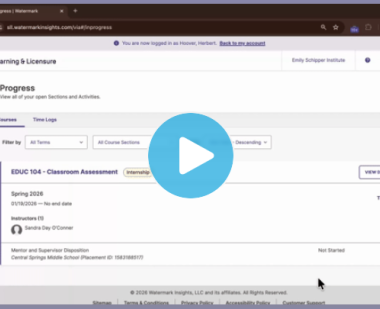
Time Log Entry
Instructor Navigation Overview of Student Learning & Licensure (Video)Mentor/Cooperating Teacher GuideAllowing Account Access to Watermark SupportAssessment of Student Submissions (Video)Approving Time Logs (Video)Reviewing Student Time LogsScoring Internship Assessment- SupervisorsCITI Submission Scoring Directions
Coming Soon
| Monica Simonsen, Director of Teacher Education | assessmentoffice@umd.edu | ||||||||||||||||||||||||||||||||||||||||||||||||||||||||||||||||||||||||||||||||||||||||||||||||||||||||||||||||||||||||||||||||||||||||||||||||||||||||||||||||||||||||||||||||||||||||||||||||||||||||||||||||||||||||||||||||||||||||||||||||||||||||||||||||||||||||||||||||||||||||||||||||||||||||||||||||||||||||||||||||||||||||||||||||||||||||||||||||||||||||||||||||||||||||||||||||||||||||||||||||||||||||||||||||||||||||||||||||||||||||||||||||||||||||||||||||||||||||||||||||||||||||||||||||||||||||||||||||||||||||||||||||||||||||||||||||||||||||||||||||||||||||||||||||||||||||||||||||||||||||||||||||||||||||||||||||||||||||||||||||||||||||||||||||||||||||||||||||||||||||||||||||||||||||||||||||||||||||||||||||||||||||||||||||||||||||||||||||||||||||||||||||||||||||||||||||||||||||||||||||||||||||||||||||||||||||||||||||||||||||||||||||||||||||||||||||||||||||||||||||||||||||||||||||||||||||||||||||||||||||||||||||||||||||||||||||||||||||||||||||||||||||||||||||||||||||||||||||||||||
| Donna North, Assessment Analyst & SLL Administrator | dnnorth@umd.edu | ||||||||||||||||||||||||||||||||||||||||||||||||||||||||||||||||||||||||||||||||||||||||||||||||||||||||||||||||||||||||||||||||||||||||||||||||||||||||||||||||||||||||||||||||||||||||||||||||||||||||||||||||||||||||||||||||||||||||||||||||||||||||||||||||||||||||||||||||||||||||||||||||||||||||||||||||||||||||||||||||||||||||||||||||||||||||||||||||||||||||||||||||||||||||||||||||||||||||||||||||||||||||||||||||||||||||||||||||||||||||||||||||||||||||||||||||||||||||||||||||||||||||||||||||||||||||||||||||||||||||||||||||||||||||||||||||||||||||||||||||||||||||||||||||||||||||||||||||||||||||||||||||||||||||||||||||||||||||||||||||||||||||||||||||||||||||||||||||||||||||||||||||||||||||||||||||||||||||||||||||||||||||||||||||||||||||||||||||||||||||||||||||||||||||||||||||||||||||||||||||||||||||||||||||||||||||||||||||||||||||||||||||||||||||||||||||||||||||||||||||||||||||||||||||||||||||||||||||||||||||||||||||||||||||||||||||||||||||||||||||||||||||||||||||||||||||||||||||||||||
| Christopher Cooks, Assistant Director of Assessment: Database Development & Operations | cacooks@umd.edu | ||||||||||||||||||||||||||||||||||||||||||||||||||||||||||||||||||||||||||||||||||||||||||||||||||||||||||||||||||||||||||||||||||||||||||||||||||||||||||||||||||||||||||||||||||||||||||||||||||||||||||||||||||||||||||||||||||||||||||||||||||||||||||||||||||||||||||||||||||||||||||||||||||||||||||||||||||||||||||||||||||||||||||||||||||||||||||||||||||||||||||||||||||||||||||||||||||||||||||||||||||||||||||||||||||||||||||||||||||||||||||||||||||||||||||||||||||||||||||||||||||||||||||||||||||||||||||||||||||||||||||||||||||||||||||||||||||||||||||||||||||||||||||||||||||||||||||||||||||||||||||||||||||||||||||||||||||||||||||||||||||||||||||||||||||||||||||||||||||||||||||||||||||||||||||||||||||||||||||||||||||||||||||||||||||||||||||||||||||||||||||||||||||||||||||||||||||||||||||||||||||||||||||||||||||||||||||||||||||||||||||||||||||||||||||||||||||||||||||||||||||||||||||||||||||||||||||||||||||||||||||||||||||||||||||||||||||||||||||||||||||||||||||||||||||||||||||||||||||||||
| Stacy Currie, edTPA Coordinator | stacyrp@umd.edu | ||||||||||||||||||||||||||||||||||||||||||||||||||||||||||||||||||||||||||||||||||||||||||||||||||||||||||||||||||||||||||||||||||||||||||||||||||||||||||||||||||||||||||||||||||||||||||||||||||||||||||||||||||||||||||||||||||||||||||||||||||||||||||||||||||||||||||||||||||||||||||||||||||||||||||||||||||||||||||||||||||||||||||||||||||||||||||||||||||||||||||||||||||||||||||||||||||||||||||||||||||||||||||||||||||||||||||||||||||||||||||||||||||||||||||||||||||||||||||||||||||||||||||||||||||||||||||||||||||||||||||||||||||||||||||||||||||||||||||||||||||||||||||||||||||||||||||||||||||||||||||||||||||||||||||||||||||||||||||||||||||||||||||||||||||||||||||||||||||||||||||||||||||||||||||||||||||||||||||||||||||||||||||||||||||||||||||||||||||||||||||||||||||||||||||||||||||||||||||||||||||||||||||||||||||||||||||||||||||||||||||||||||||||||||||||||||||||||||||||||||||||||||||||||||||||||||||||||||||||||||||||||||||||||||||||||||||||||||||||||||||||||||||||||||||||||||||||||||||||||
Watermark Customer SupportSubmit a Request to Watermark